The right Google Translate alternative comes down to one question: do you need a fast gist, or do you need to actually understand and cite a paper? Google Translate is brilliant at the first job, free, instant, and able to render almost any language, so if all you want is the rough sense of a foreign abstract, you may not need to switch at all. The moment the work turns serious, the picture changes. Reading research well means handling technical terminology, following an argument across long sentences, and tracing each claim back to a source you can quote. That is academic-grade comprehension, and it is a different task from quick translation. This guide ranks the tools that close that gap.
People look for a Google Translate alternative because gist is not always enough. Its accuracy swings hard by language pair and genre, and it stumbles on the specialized terms a methods section is built from. Because it works largely sentence by sentence, it can drop the thread of an argument, mishandling pronouns or register. It cannot search for the paper in the first place, and it cannot tie a translated line back to a citation, so finding and verifying stay on you. For anyone reading non-English research closely, those gaps are the reason to look further.
Our top pick is Kenkyu.ai, because it folds translation into the research itself instead of treating it as a one-off task. Across a corpus of more than 200 million papers it lets you search, read any result in your own language, and ask questions that come back with citations pinned to the exact source paragraph. As a raw machine-translation engine Google Translate is faster and reaches more languages, and we say so plainly below. But for the whole job of finding, understanding, and citing work across languages, nothing else here spans as much in a single place.
Every tool below was scored 0 to 5 on the same rubric, grounded in documented features, official pricing, and real user sentiment rather than vendor marketing. Higher is better. For the wider translation field, our best research paper translator tools guide ranks the broader category.
What is Google Translate?
Google Translate is the free machine-translation service from Google, available on the web, as iOS and Android apps, as a built-in Chrome page translator, and as the paid Cloud Translation API for developers. For researchers, it is the default way to read a foreign abstract, paper, or website on the spot. Two things make it ubiquitous. The first is breadth: it supports roughly 130 to 249 languages after recent expansions, far more than any rival, including low-resource languages most other tools omit entirely. The second is reach: it is free and unlimited for consumers, with camera, voice, handwriting, document, website, and offline modes, and it is wired into Chrome, Search, Lens, and Android. For a fast, free gist across almost any language, nothing matches it.
The reasons people search for an alternative are just as concrete. Peer-reviewed evaluations show accuracy varies widely by language direction and text genre, from as high as 94% for some common languages to around 55% for others, and editorial reviewers conclude its output is best for comprehension rather than producing publishable academic translation. It translates a sentence at a time and does not always know what came before or after, which matters for academic argument, and privacy is a recurring concern since the free service carries no no-training guarantee. Most fundamentally, Google Translate is a translation engine, not a research tool. It cannot find the paper, explain it in depth, or link a translation to a source, which is exactly the gap the tools below close.
At a glance: the best Google Translate alternatives compared
Scores are 0 to 5 (higher is better). Fidelity/cite reflects how faithful the output is to the source: translation fidelity for the machine translators, citation integrity for the research tools.
| Rank | Tool | Translation | Fidelity/cite | Ease | Value | Price | Best for | |
|---|---|---|---|---|---|---|---|---|
| Editor's pick | Kenkyu.ai | 4 | 3 | 4 | 4 | 4 | Free; Plus ~$8/mo | Search, translate, and cite papers in any language |
| 2 | DeepL | 5 | 2 | 5 | 5 | 3 | Free; Individual ~$8.74/mo | Highest-quality document translation, formatting intact |
| 3 | NotebookLM | 1 | 5 | 5 | 5 | 4 | Free; Plus ~$7.99/mo | Explaining your own uploaded papers in depth |
| 4 | Paperpal | 2 | 3 | 4 | 3 | 3 | Free; Prime ~$11.58/mo | Writing and polishing papers in English |
| 5 | Anara | 1 | 5 | 4 | 4 | 3 | Free; Plus ~$10/mo | Cited chat across your own document library |
| 6 | Semantic Scholar | 0 | 1 | 5 | 4 | 5 | Free | Free discovery, TLDRs, and citation graph |
| 7 | Google Translate (the baseline) | 4 | 2 | 3 | 5 | 5 | Free; API usage-based | Fast, free gist across the widest language set |
The one-line verdict on Kenkyu.ai: search across 200M+ papers, translate any of them into your native language, and get answers you can trace back to the source paragraph, all in one tool with a free plan that needs no credit card.
How to choose a Google Translate alternative
Start with the depth you need. If a rough understanding of a foreign paper is enough, Google Translate already does that for free, so the only reason to switch is when gist falls short. The first real fork is whether you want better translation of a document you already have, or a tool that also finds the paper and lets you question it. DeepL is the upgrade on pure translation quality; research-native tools like Kenkyu.ai connect search, translation, and source-checking in one place, which is what most close-reading workflows actually need.
Accuracy and terminology come next, and this is precisely where gist-level translation runs out of road. Everyday prose translates fluently, but academic nuance and field-specific vocabulary trip these engines up, so the wise move is to treat any output as a draft for review. In a peer-reviewed comparison of machine-translated medical abstracts, the tools scored well on accuracy and fluency yet the authors still recommended human post-editing for sensitive content, and flagged a habit of over-translating technical terms researchers would sooner leave in English.
Trust in the output is the third lens. With a pure translator it means faithfulness to the source; with a tool you can question about a paper it means whether the citations are real and correctly linked. Conversational AI is where this bites, since the prose can read convincingly while the underlying source is wrong or fabricated, so the question that decides it is whether you can jump straight to the original passage. Cost and privacy close out the list. Google Translate's genuinely free, unlimited service is tough to beat on price, but with no no-training guarantee, unpublished or sensitive material warrants a look at each tool's policy first. The entries below lay out what every tool, including the ones we placed lower, actually does best.
1. Kenkyu.ai, Editor's pick: from gist to a real research workflow
Score breakdown (0 to 5)
Translation 4 · PDF 3 · Fidelity/cite 4 · Writing 0 · Ease 4 · Value 4 · Integrations 1
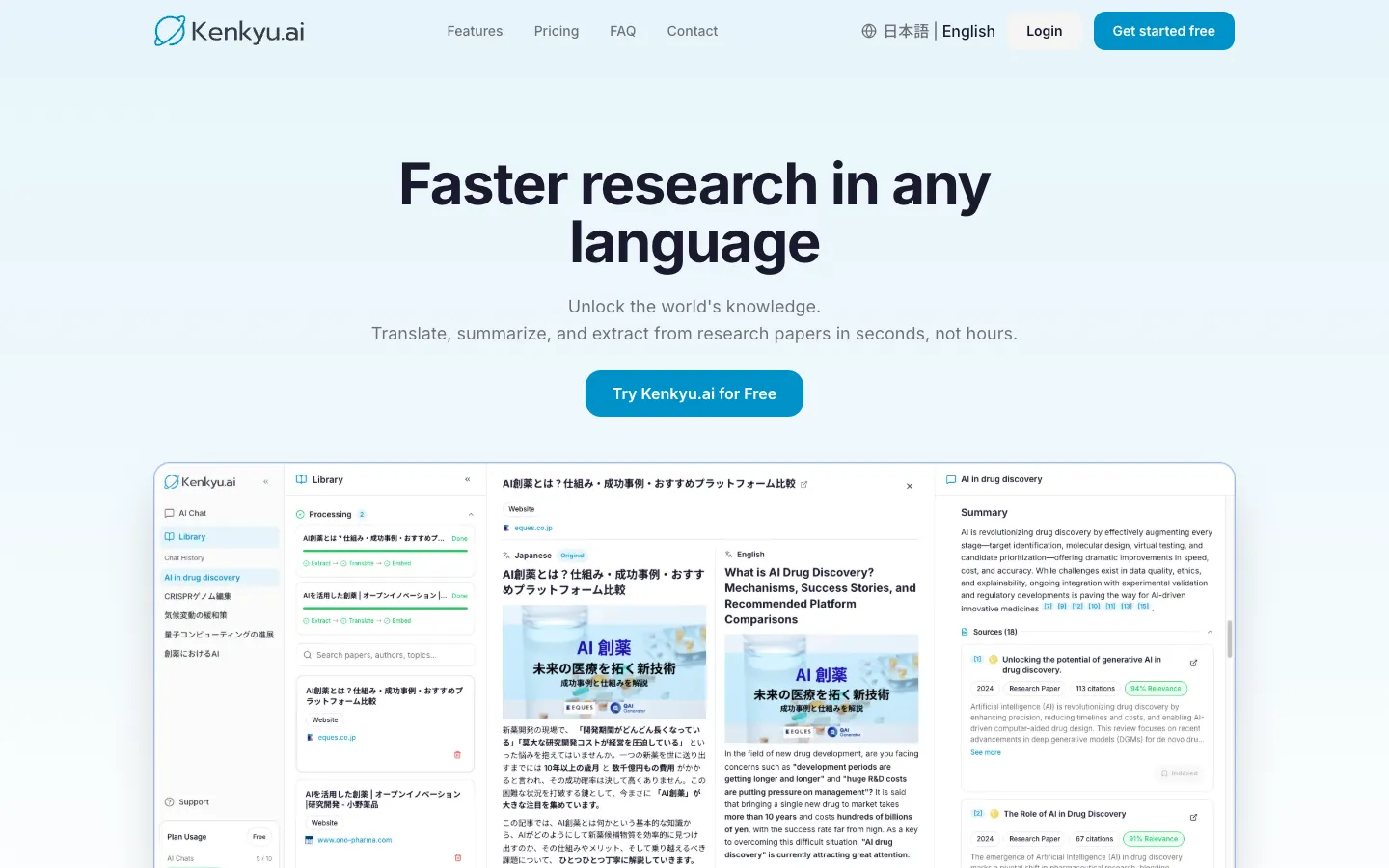
Kenkyu.ai is our Editor's pick because it owns the work Google Translate hands back to you: locating the paper, understanding it properly, and checking its claims, rather than just converting a block of text. Built on the 200M+ corpus that also powers Semantic Scholar, it pulls up a paper, renders it in your language beside the original, and fields your questions with citations that point to the exact passage they came from. The fragmented loop of Google Translate, paste a section, switch tabs to find the next paper, then confirm each citation by hand, folds into one screen. Reading English work in a second language or non-English work in English both run the same way.
We are clear about why this is an editorial pick rather than the highest translation score. As a raw machine-translation engine, Google Translate is faster, covers far more languages, and is free, and if a quick gist is all you need, it remains the better tool. Kenkyu.ai's advantage is academic-grade comprehension: its translation is wired into discovery and verification, so you find the paper, read it in your language, and trace every claim back to where it actually appears. That is the work gist translators leave undone.
Key features
- Natural-language and keyword search across a 200M+ paper corpus, plus the open web
- Full-paper translation into your language, shown beside the original for verification
- Answers that cite the precise source paragraph, not just a paper title
- Upload your own PDFs and chat with them
- Bilingual English and Japanese interface
Strengths
The headline is that one screen handles three jobs Google Translate splits across tabs: you discover the paper, translate it, and ask grounded questions about it. Every answer resolves to the source passage, so confirming a claim is a click rather than a hunt, which is why fidelity lands at a 4 against the 1 a general chatbot earns. The comprehension layer is the real differentiator here: instead of a translated string you can interrogate, you get follow-up answers tied back to the original, something gist translation has never attempted. To test all of this, the free plan gives unlimited corpus search with 10 AI chats and 10 uploads each month and asks for no card. It does steer heavier users toward a paid plan, as nearly everything on this list does, but at roughly $8 a month Plus is one of the gentler price tags in the comparison.
Weaknesses
Drafting is the obvious gap: Kenkyu.ai reads and researches, it does not write, hence the 0 on writing. Anyone polishing a manuscript in English should pair it with a writing tool like Paperpal further down. Saving papers is supported but full reference management is not, and there is no Word plugin or browser extension yet. It also cannot rival Google Translate's vast language list or its camera, voice, and offline capture. On translation polish alone DeepL is ahead, though Kenkyu.ai runs on the same corpus many competitors license and wins on the combined research workflow.
Price
Free, covering unlimited search of the 200M+ corpus plus 10 AI chats and 10 uploads a month, with no card required. Plus runs about $8 per month, roughly ¥1,260, or near $96 billed yearly, lifting the chat and upload caps. Enterprise is quoted on request.
Best for
Researchers, graduate students, clinicians, and journalists who work across languages and want cited answers they can trust, not just a converted block of text.
2. DeepL: the highest-quality document translation
Score breakdown (0 to 5)
Translation 5 · PDF 2 · Fidelity/cite 5 · Writing 3 · Ease 5 · Value 3 · Integrations 4
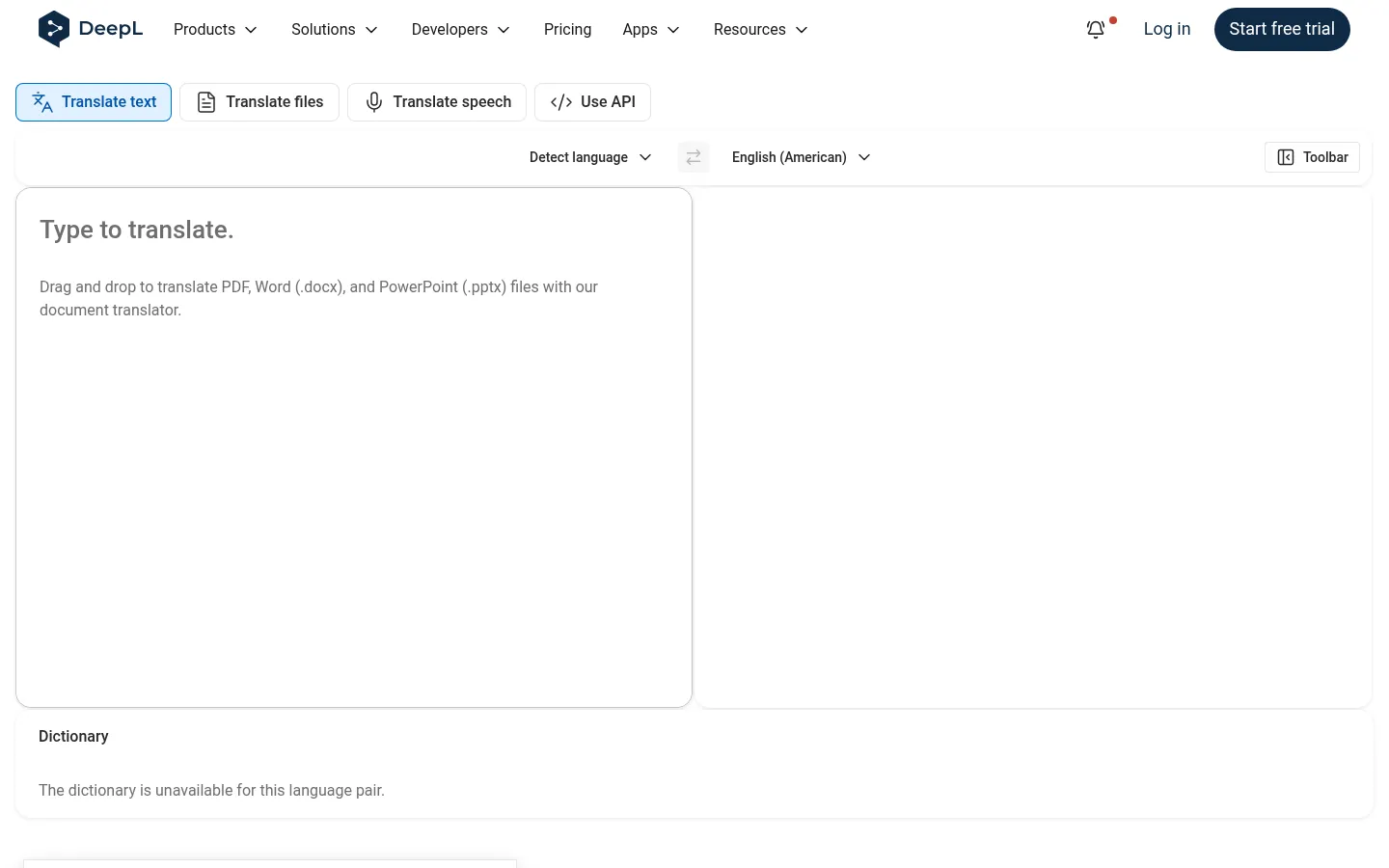
If your problem with Google Translate is quality rather than reach, DeepL is the direct upgrade. It is the only tool here to score a 5 on translation, and it is the benchmark every machine translator is measured against. Reviewers and peer-reviewed studies alike credit it with reading more naturally, especially on European language pairs. Its document translation, which renders whole PDF, Word, PowerPoint, and Excel files while preserving formatting, is what makes it so useful for reading papers, and DeepL Write adds a polishing layer for academic English.
Key features
- Text translation with class-leading accuracy, particularly between European languages
- Whole-file document translation (PDF, Word, PowerPoint, Excel) with layout kept intact
- Custom glossaries to lock terminology in place
- DeepL Write, a paid add-on, for tone and clarity polishing
- Apps for desktop and mobile, browser extensions, Word and Google plugins, and an API
Strengths
The recurring verdict from reviewers is that the output reads like a human wrote it rather than a machine, and the platform carries a 4.8 out of 5 across 130+ reviews on Capterra. A peer-reviewed study of medical abstracts rated it well on accuracy, fluency, and naturalness, and its layout-preserving document translation saves real effort on cluttered academic PDFs. Google Translate gets you a workable gist; DeepL gets you prose clean enough to read without flinching at every sentence.
Weaknesses
Three caveats matter for researchers, and each mirrors a Google Translate strength in reverse. Coverage comes first: at roughly 30 to 36 languages it is far narrower, with no Arabic or Hindi support at all, so Google stays the only choice for many pairs. Privacy is second, because the free tier trains on what you submit, which means unpublished or sensitive material belongs on a paid plan where text is never used for training. Third, it shares Google Translate's structural blind spot, no paper search and no link from a translation to a source, leaving discovery and checking to you, and it can over-translate specialist terms in long sentences. For tools that bolt search and source-checking onto translation, our DeepL alternatives guide weighs the options.
Price
Free, capped at about 50,000 characters and one document a month, with input used for training. The Individual plan is around $8.74 per month on annual billing, adding unlimited text translation and no training on your data, with Team, Business, and Enterprise above it. DeepL Write bills separately.
Best for
Researchers translating European-language papers and documents who want the cleanest possible output with layout preserved. Keep unpublished work on a paid plan.
3. NotebookLM: explain your own papers in depth
Score breakdown (0 to 5)
Translation 1 · PDF 5 · Fidelity/cite 5 · Writing 3 · Ease 5 · Value 4 · Integrations 2
Google's NotebookLM is not a translator, but it belongs here because it supplies the comprehension Google Translate cannot: load an English or foreign-language PDF and it will summarize and explain the paper in your own language, every answer anchored to clickable source passages. That anchoring earns it a 5 on both fidelity and PDF analysis. Faithful end-to-end translation is not in its repertoire, so translation sits at a 1. Google Translate returns a converted string; NotebookLM takes the content apart and lets you question it.
Key features
- Answers confined to your sources, each carrying a clickable in-line passage citation
- Capable summarization and question-answering across several documents at once
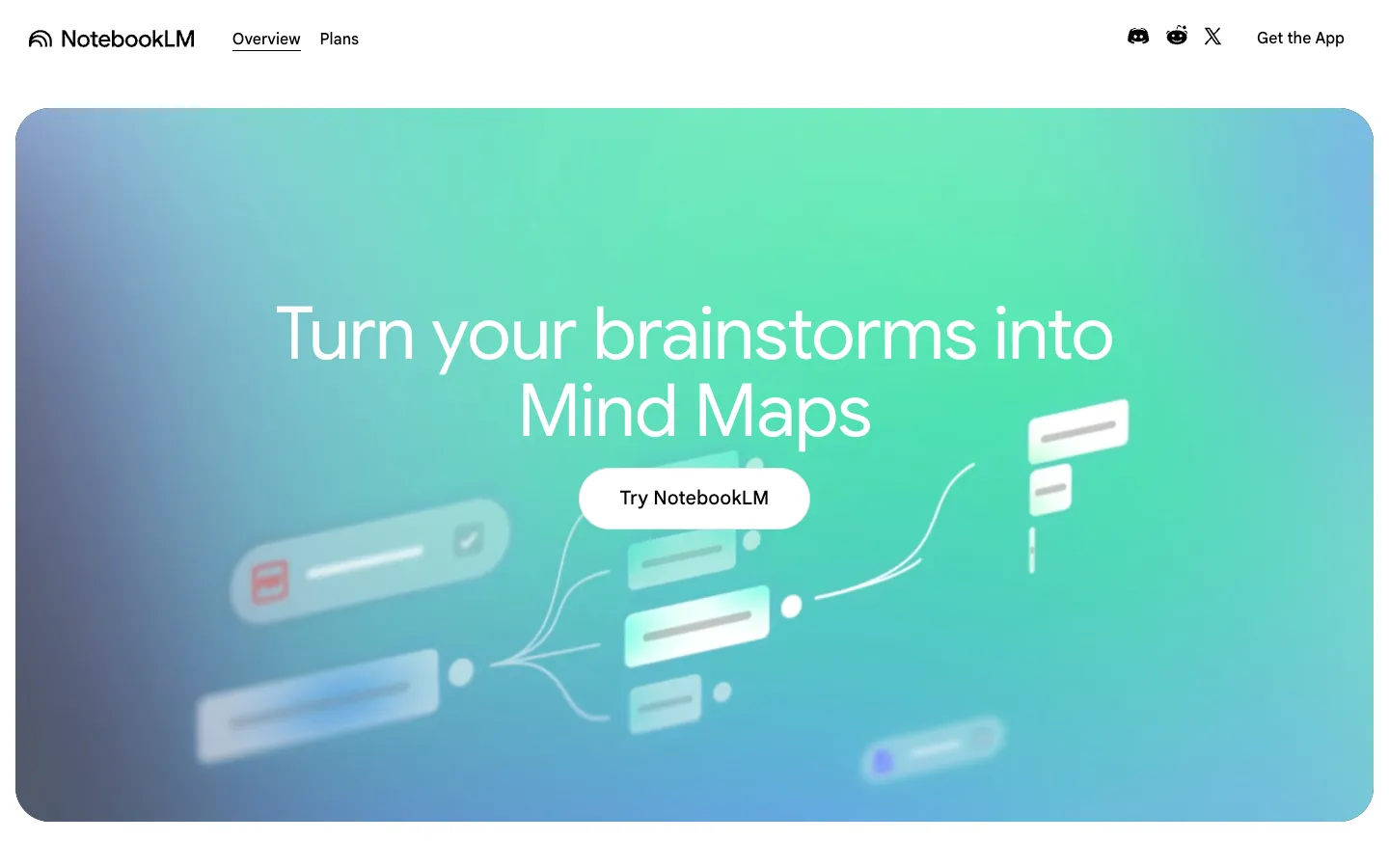
- Studio outputs such as audio overviews, mind maps, and quizzes
- An interface so simple it earns a 5 on ease of use
- A free tier holding 50 sources per notebook
Strengths
Hand it a dense English paper and ask for a plain-language explanation, and the reply comes back grounded and cited, sidestepping the invented sources that dog general chatbots. Independent testing pegs its hallucination rate near 13% versus ChatGPT's 40%, and a Reddit user who put it through its paces in 2026 said research that took "2 to 3 hours" now takes "30 to 40 mins with better clarity." For revision, the audio overviews and quizzes earn their keep. As a way to dig into material you already hold, far deeper than a gist translation reaches, it is both strong and frictionless.
Weaknesses
With no search and no corpus, it cannot find papers, so the sources are yours to supply. Translation is barely there: the point is to explain a paper in your language, not to render the full text faithfully side by side, which makes it a weak substitute if translation was your only reason for using Google Translate. The free notebook tops out at 50 sources, and reviewers report accuracy thinning as you near that ceiling. If discovery or genuine translation also matter, our NotebookLM alternatives guide lists tools that add both.
Price
Free at 50 sources per notebook. Plus runs about $7.99 a month and Pro about $19.99, with steeper Google tiers stacked above.
Best for
Summarizing and studying your own uploaded PDFs in depth. Pair it with a search and translation tool when you need to find or fully translate papers.
4. Paperpal: write and polish papers in English
Score breakdown (0 to 5)
Translation 2 · PDF 3 · Fidelity/cite 4 · Writing 4 · Ease 3 · Value 3 · Integrations 5
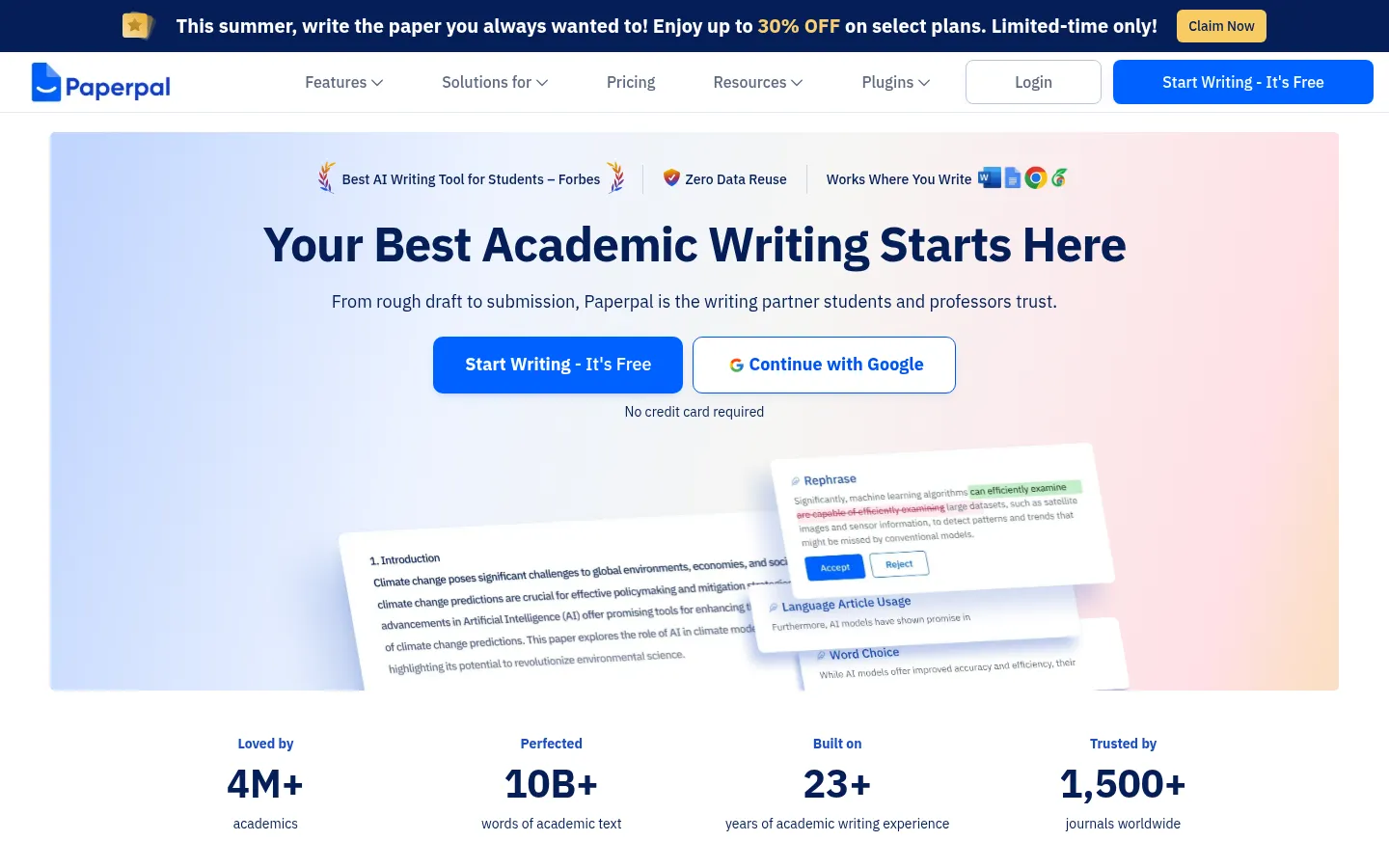
Paperpal, made by the Editage team at Cactus Communications, becomes relevant when your problem is the opposite end of the language barrier: producing academic English rather than reading it. It is a writing and editing assistant built for non-native English researchers driving manuscripts to submission standard, and it bundles an AI translator and PDF chat across 50+ languages. Writing is the core, though, so translation scores a 2. Its reach across Word, Google Docs, Chrome, Web, and Overleaf is the broadest here, a 5.
Key features
- Grammar and language editing trained on academic writing
- AI drafting, paraphrasing, summarizing, and translation
- Research and Cite over 250M+ articles, with citations generated for you
- PDF chat covering up to 10 documents in 50+ languages
- Plagiarism and AI detection alongside 30+ pre-submission checks
Strengths
Where general checkers flatten academic prose, Paperpal's discipline-trained editing keeps an author's voice and technical vocabulary intact. A Reddit comparison captured the contrast neatly, observing that Jenni was "just replacing key scientific terms with plain language synonyms" while Paperpal holds the scholarly register, exactly the terminology fidelity a quick gist translation tends to drop. Non-native English researchers rate it highly, and the bundled plagiarism and AI detection plus journal submission checks make the suite genuinely useful for anyone publishing in English. Its privacy stance helps too, with a no-training policy and FERPA, ISO 27001, GDPR, HIPAA, and SOC certifications.
Weaknesses
This is a writing and editing tool, not a foreign-paper reader, so it makes a poor swap if reading was your sole use for Google Translate. Translation and PDF chat are bolt-ons rather than a faithful side-by-side reader for full papers. It can stumble on highly specialized jargon, it leans English-first, and its aggregate ratings hover around 3.5 to 3.7. Expect a short learning curve across the suite, and note that its web presence is thick with affiliate and coupon content, so discount the more effusive "reviews."
Price
Free at 200 language suggestions a month, 5 AI uses a day, and a 7,000-word plagiarism checker. Prime costs $25 monthly or $139 yearly, about $11.58 a month, unlocking the whole suite. Institutions are priced on request.
Best for
Non-native English researchers drafting and polishing their own manuscripts toward submission. To read foreign papers instead, a research-native tool or a general translator is the better fit.
5. Anara: cited chat across your own document library
Score breakdown (0 to 5)
Translation 1 · PDF 5 · Fidelity/cite 4 · Writing 3 · Ease 4 · Value 3 · Integrations 4
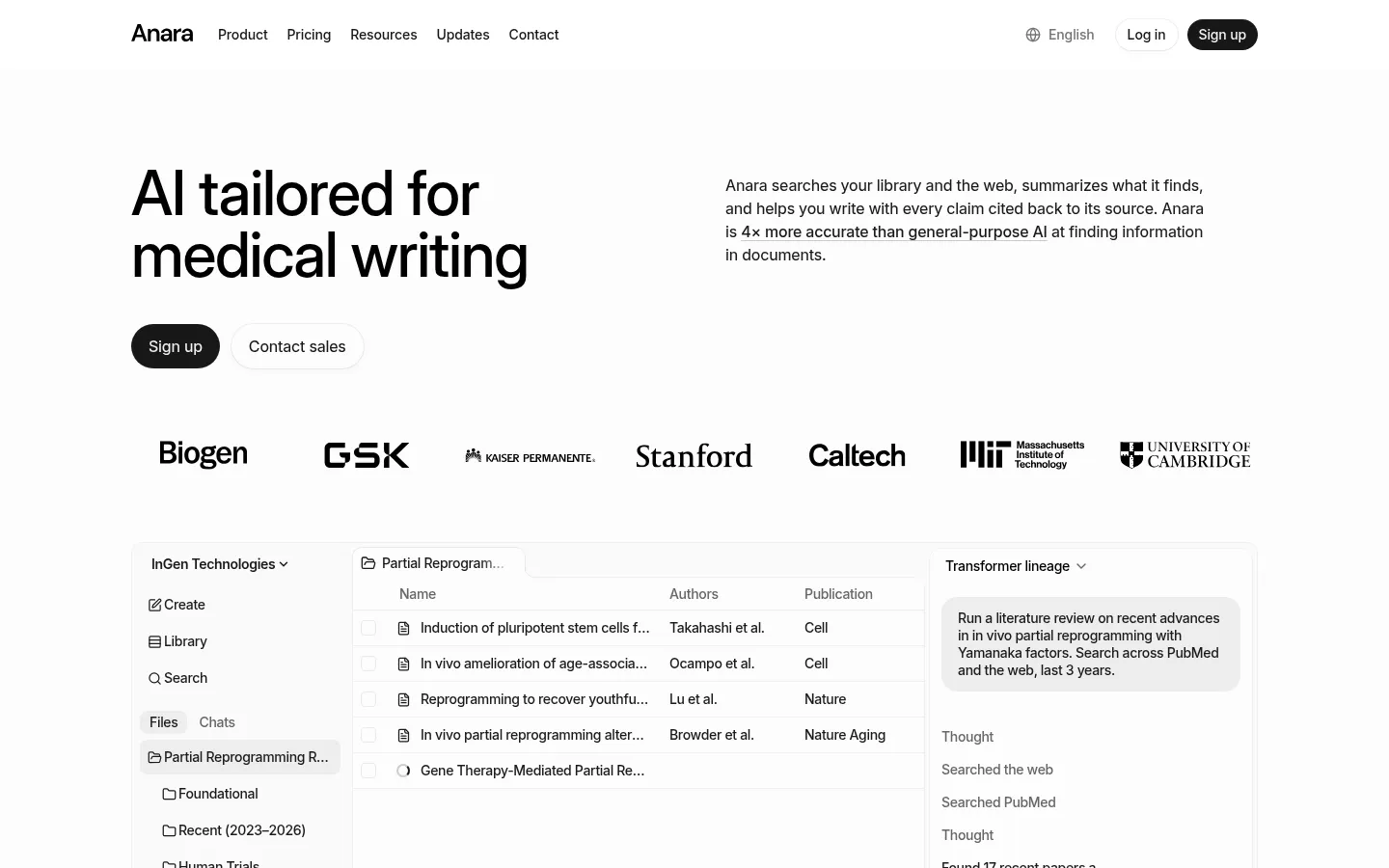
Anara, formerly Unriddle, is a collaborative workspace for reading and interrogating documents you upload. Its signature Chat with Folder queries a whole batch of PDFs together, every answer pinned to a passage. Because you can load an English paper and ask about it in another language, some people press it into service as a translator, but it does not reproduce full text faithfully, so translation scores a 1. As with NotebookLM, this is a comprehension layer, not a translation engine, and a far cry from a quick Google Translate pass.
Key features
- Chat with Folder spanning an entire uploaded library
- A passage-level citation behind every answer
- One workspace for PDFs, video, audio, and images
- Connectors to Zotero, Mendeley, Drive, Notion, and OneDrive
- A choice of GPT, Claude, or Gemini, plus live collaboration
Strengths
Anara stakes its identity on trust, marketing itself as "AI you can trust" with every answer cited, and editorial reviewers vouch for the precision: it draws references from the right documents and highlights the relevant sections, making a foreign paper's claims quick to verify. Google Translate hands you text with no provenance; Anara always surfaces the passage an answer rests on. Reference-manager connectors and team collaboration broaden its reading uses, and the privacy footing is solid, with no training on your data plus GDPR and SOC2 coverage that matters for sensitive material.
Weaknesses
Like NotebookLM, it is no discovery engine: there is no native corpus, only what you bring. Translation is minimal, which makes it ill-suited to reading a paper side by side in another language. Reviewers sometimes find its explanations too broad for niche or technical work, and academic circles eye its aggressive affiliate marketing warily, with an r/academia thread flagging undisclosed influencer promotion and a report of a surprise charge. The free tier also limits responses to about 250 words, so mind the caps. For discovery and full translation in a single tool, our Anara alternatives guide surveys the field.
Price
Free at 2,000 words and 5 uploads a day. Plus is about $10 a month, Pro about $20, and Max about $167, with Enterprise quoted custom.
Best for
Reading, annotating, and questioning a document library you already own, with citations you can rely on. Reach for a separate tool when you need discovery or full translation.
6. Semantic Scholar: free discovery the gist translators skip
Score breakdown (0 to 5)
Translation 0 · PDF 1 · Fidelity/cite 5 · Ease 4 · Value 5 · Integrations 4
Semantic Scholar is not a translator at all, so translation scores a 0, but it belongs here because it solves the step Google Translate cannot reach: finding the right paper in the first place. It is a free, non-profit academic search engine from the Allen Institute for AI, indexing more than 200 million papers, with AI-generated TLDR summaries, a strong citation graph, and personalized Research Feeds. It is also the open-data backbone behind many paid tools, including the corpus Kenkyu.ai searches. Think of it as the discovery layer you reach for before any translation happens.
Key features
- Free search across 200M+ papers with influence-ranked relevance
- TLDR one to two sentence summaries of paper abstracts
- Citation graph and related-paper discovery
- Personalized Research Feeds and email alerts
- Free public API and open datasets (S2AG, S2ORC)
Strengths
For free discovery, it is excellent, with reviewers praising search quality in technical domains and calling the TLDR summaries a real time-saver. Its citation graph makes following a field's references fast, and because it surfaces real, linked papers it earns a 5 on fidelity, with no fabricated sources. One Reddit user singled out the Research Feed as the standout, set to send "10 papers once a week" based on a saved library. As a no-cost, no-fabrication starting point, especially in computer science and biomedicine, it is hard to fault.
Weaknesses
It does not translate, summarize across papers conversationally, or read a foreign paper for you, so it is a complement to a translator rather than a replacement. Discipline coverage is uneven, weaker in the humanities and social sciences, its built-in library is primitive (users pair it with Zotero or Mendeley), and TLDRs can miss nuance. It is also English-centric, which limits how far it helps with non-English reading on its own. For a tool that adds answers and translation on top of this same corpus, our Semantic Scholar alternatives guide compares the options.
Price
Completely free, including the public API and open datasets. There is no paid consumer tier.
Best for
Researchers who want free, smart discovery, TLDR summaries, and citation chaining before they translate and read.
7. Google Translate, the baseline: fast, free gist across the widest coverage
Score breakdown (0 to 5)
Translation 4 · PDF 2 · Fidelity/cite 3 · Writing 0 · Ease 5 · Value 5 · Integrations 4
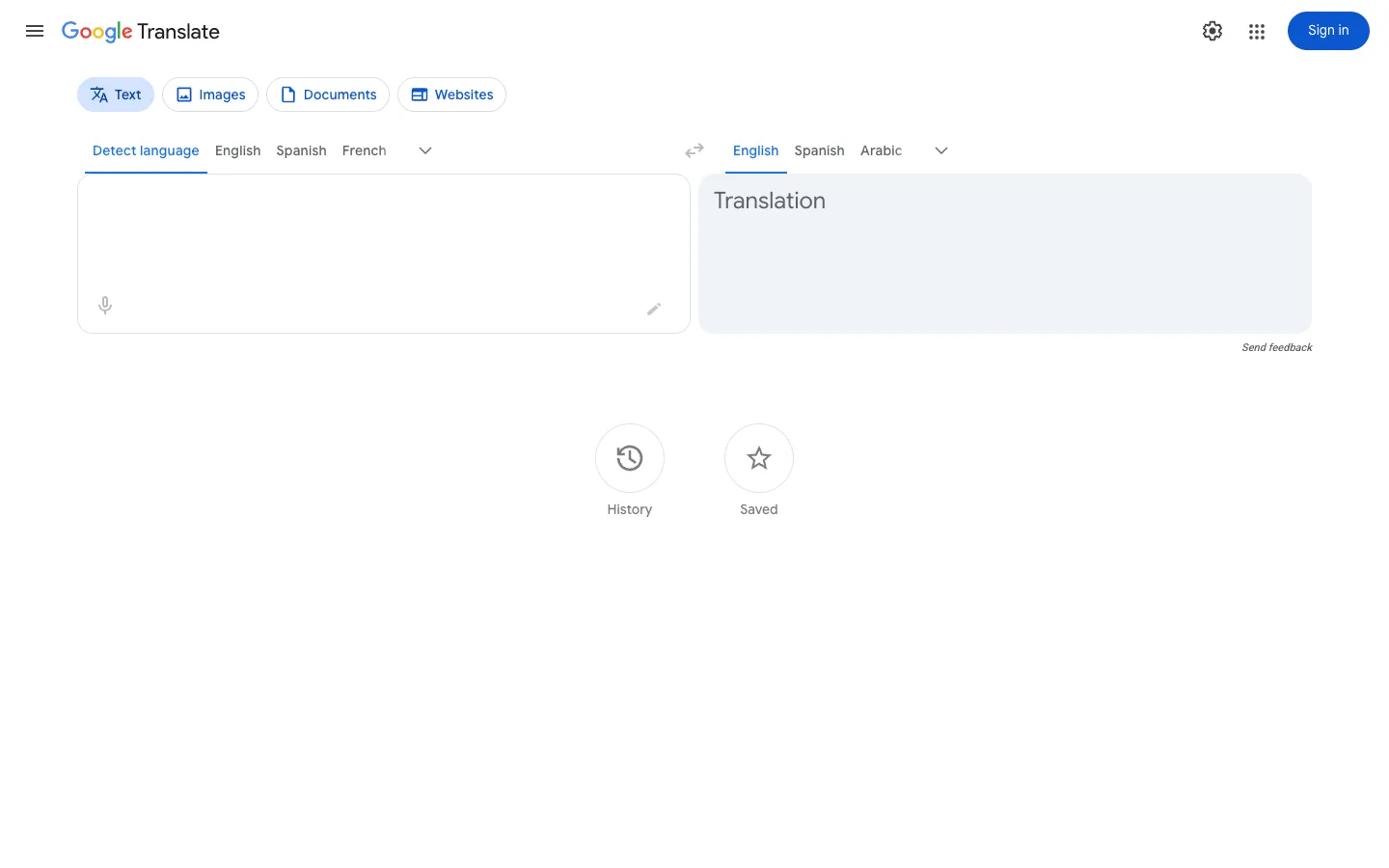
Google Translate is the tool you are evaluating leaving, so it is worth judging fairly before deciding what you are missing. Its reach is genuinely unmatched: it covers roughly 130 to 249 languages, including low-resource ones DeepL does not support, and with camera, voice, document, website, and offline modes plus unlimited free use, it earns the only value score of 5 here alongside Semantic Scholar. For getting the gist of a foreign paper on the spot, it is still the fastest option, and the bar any alternative has to clear.
Key features
- Free, unlimited translation across roughly 130 to 249 languages
- Camera, voice, handwriting, document, and website translation
- Offline translation with downloadable language packs
- In-place document upload translation that keeps formatting
- Chrome, Android, iOS, and the Cloud Translation API
Strengths
Breadth and convenience are the headline, and they are real strengths, not afterthoughts. For grasping the central claims of a paper, abstract, or source in almost any language, free and instantly, nothing matches it. It has academic credibility for low-stakes extraction too: an AHRQ study found Google Translate usable for pulling data from non-English trials in systematic reviews when professional translation is not feasible, a modest but meaningful endorsement for evidence synthesis. As a free, universal first pass, it is the default for good reason.
Weaknesses
The limits show up the moment you need more than gist. Accuracy swings widely by language pair and genre, and it struggles with academic nuance and specialized terminology, where DeepL is the stronger reader. Because it translates largely sentence by sentence, it can miss cross-sentence context, mishandling pronouns or register. It cannot search for papers, explain them conversationally, or link a translation to a source, so finding and verifying stay separate jobs. Privacy is a recurring concern too, since the free service carries no no-training guarantee, which matters for unpublished work.
Price
Consumer product is free and unlimited. The Cloud Translation API for developers is $20 per million characters, with the first 500,000 characters per month free.
Best for
Quickly and freely reading the gist of papers across many languages, especially low-resource pairs other tools omit. Verify anything important in DeepL or a research-native tool.
How we scored the best Google Translate alternatives
Each tool is rated once against the same 13-point rubric, scored 0 to 5, where 0 marks a capability that is absent or unusable and 5 marks best in class. The ratings rest on documented features, published pricing, and real user sentiment gathered from review sites and research communities rather than vendor marketing. Anything a vendor reports about itself, corpus sizes or accuracy percentages among them, is treated cautiously and labeled a claim. The complete methodology sits in our best research paper translator tools guide.
The weighting on this page tilts toward translation: translation quality and ease of use count most, then value and fidelity, then PDF analysis and integrations. Columns that do not speak to translation, like search, synthesis, and data extraction, appear in the table but carry no weight in the ranking. For these tools we read fidelity two ways, as faithfulness to the source for the machine translators and as citation integrity for the tools you can question about a paper.
One honest note. On pure translation quality the top score belongs to DeepL, and on raw breadth, speed, and price Google Translate itself is exceptional, which is exactly why it remains the baseline here rather than a tool we tell everyone to abandon. We name Kenkyu.ai our Editor's pick because the reason most people outgrow Google Translate is the research job around translation, finding, understanding, and citing papers across languages, and that is where Kenkyu.ai fits best. Google Translate's strengths are shown openly in the table, and if a fast gist is all you need, it is still the right tool. The full per-criterion scores below let you re-weight for your own priorities.
The full scores for all seven tools:
| Tool | Search | Coverage | Synthesis | Q&A | Translation | Ref mgmt | Writing | Extraction | Fidelity/cite | Ease | Value | Integrations | |
|---|---|---|---|---|---|---|---|---|---|---|---|---|---|
| Kenkyu.ai | 3 | 4 | 3 | 3 | 3 | 4 | 2 | 0 | 2 | 4 | 4 | 4 | 1 |
| DeepL | 0 | 0 | 0 | 0 | 2 | 5 | 0 | 3 | 0 | 5 | 5 | 3 | 4 |
| NotebookLM | 0 | 0 | 4 | 4 | 5 | 1 | 1 | 3 | 3 | 5 | 5 | 4 | 2 |
| Paperpal | 2 | 3 | 2 | 2 | 3 | 2 | 3 | 4 | 0 | 4 | 3 | 3 | 5 |
| Anara | 2 | 1 | 3 | 4 | 5 | 1 | 3 | 3 | 2 | 4 | 4 | 3 | 4 |
| Semantic Scholar | 4 | 4 | 1 | 0 | 1 | 0 | 2 | 0 | 0 | 5 | 4 | 5 | 4 |
| Google Translate | 0 | 0 | 0 | 0 | 2 | 4 | 0 | 0 | 0 | 3 | 5 | 5 | 4 |
The takeaway is that Google Translate alternatives split into a few kinds of tool. DeepL is the pure-quality upgrade, beating Google on polish but trailing it on breadth. NotebookLM and Anara are strong PDF readers that explain a paper rather than translate it, Paperpal sits in the writing layer, and Semantic Scholar handles free discovery. Kenkyu.ai is the most balanced across translation, fidelity, reading, and search, which is why it is our pick for anyone who needs to read and cite work across languages rather than translate a single passage.

Written by
Timothy Andersen, Kenkyu.ai Founder